kQSO Open kQSO CSEN

VHF contest profile

A VHF contest from the first QSO to the EDI

A full contest log: all bands in one log, from 6 m up to the microwave bands to 76 GHz, points per kilometre, dupes per band, a fully integrated ON4KST chat and the files for the contest manager at the end. On a phone on a hill or a tablet with a keyboard.

IARU R1 as OL0M on a tablet: a QSO with QRB and points, a locator from the database, cw with the keyer's macros, a QSO piece by piece, a dupe, the list and the map.

Type it as you hear it

OK2KZR 59123 JN99AF

The whole QSO at once: call, report with serial, locator. QRB and points at once.

OK2KZR 123

No report needed: a bare number after the call is the received serial, the report stays 59.

OK2KZR ⏎ 123 ⏎ JN99AF ⏎ ⏎

Piece by piece, the way the other station gives it. The chips show what's still missing.

70cm OK1EM

A band change, even in the middle of a QSO. Serials carry on; dupes and points are per band.

kQSO offers the locator from your log, the ON4KST chat or a database of about 3,000 stations built from public EDI logs. The database also knows the bands a station works, so you see at once where to move it next.
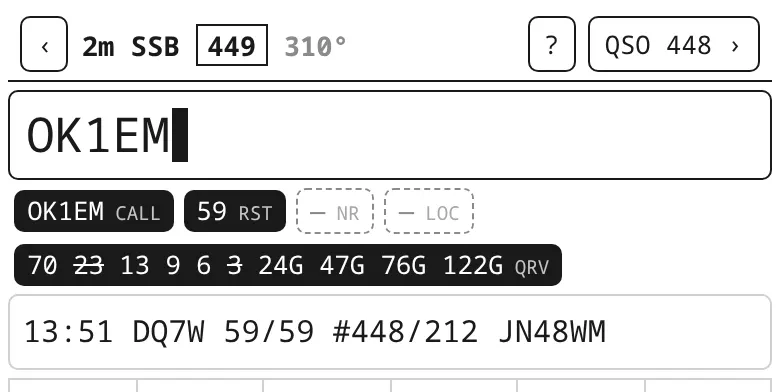
The QRV chip with the station's bands, worked bands struck out
OK1EM on 2 m: QRV from 70 cm up to 122 GHz, 23 cm and 3 cm already in the log.

Contest panel and statistics

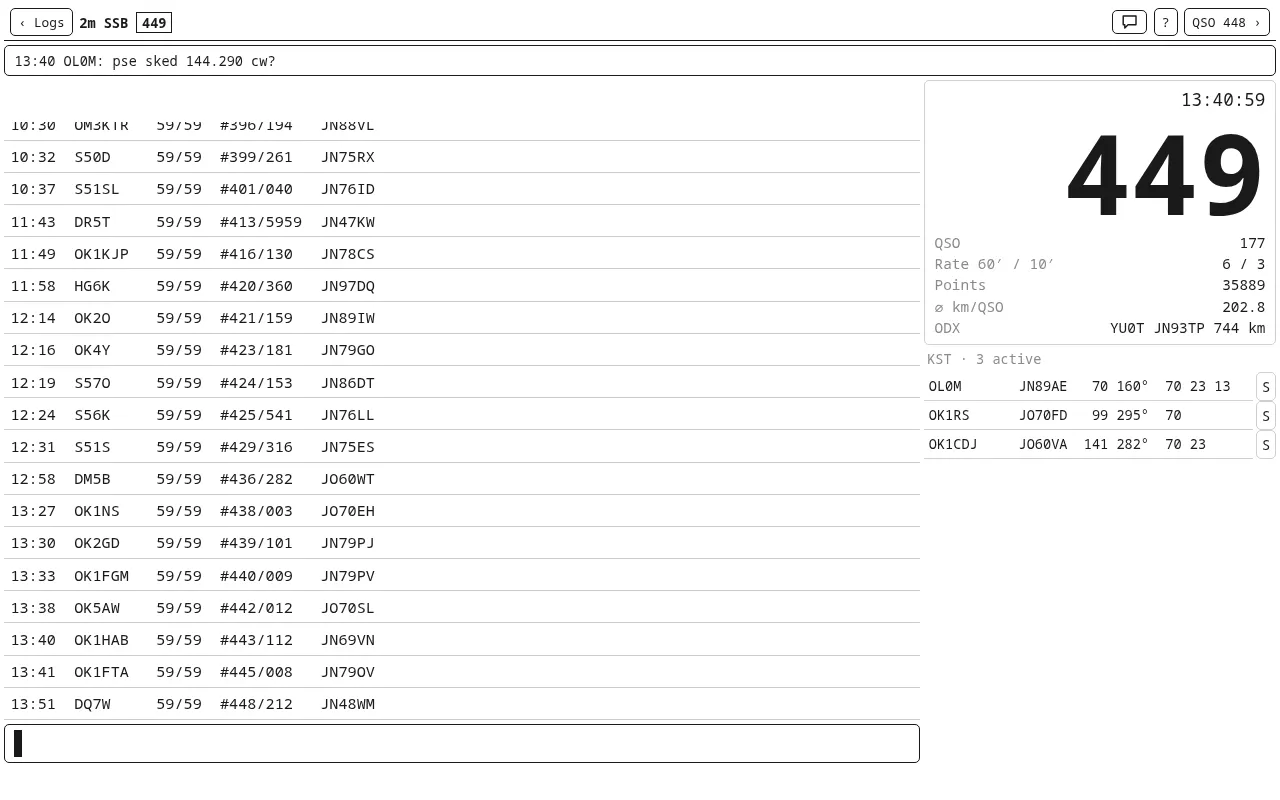
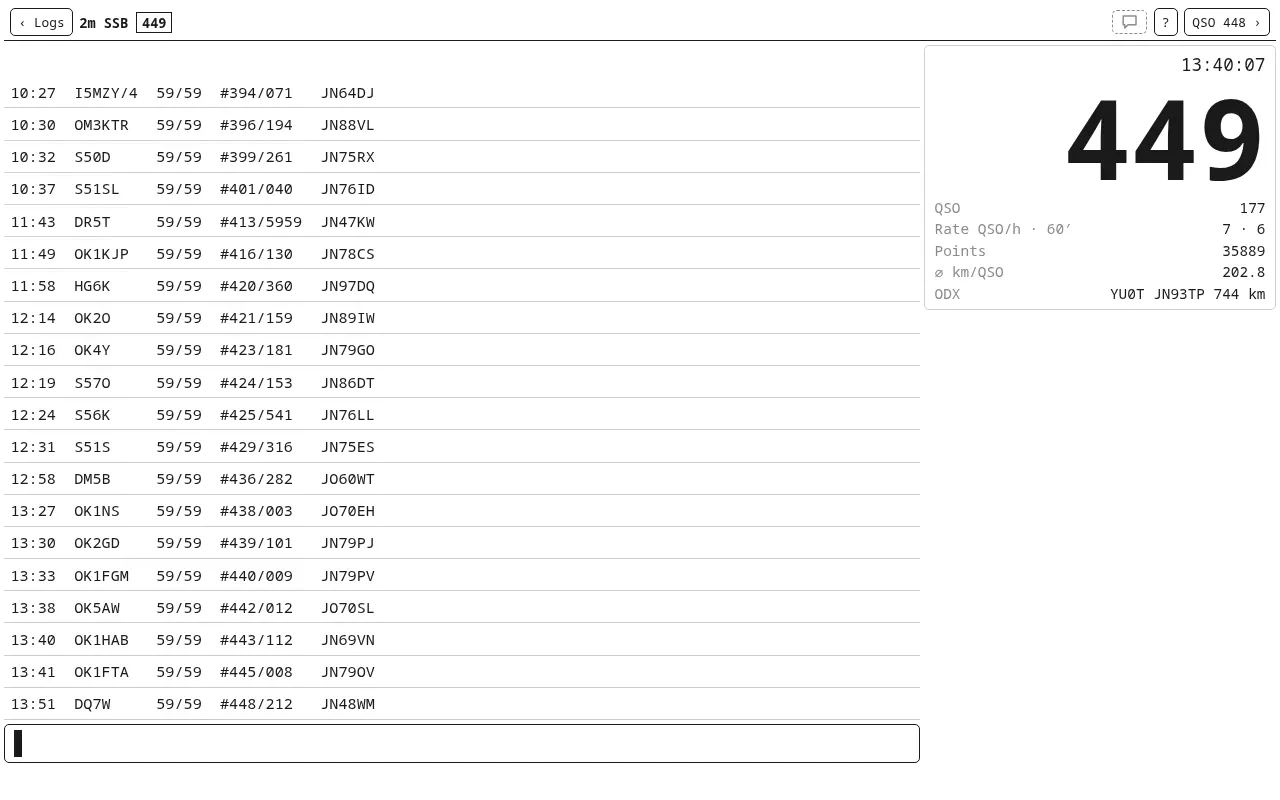
On a tablet or computer in landscape, the contest panel shows the serial to give in big digits, the UTC clock, the QSO count, a live rate, points, the average and the ODX.

  • QSOs and points per hour, so you see when it went well and when it stalled.
  • Large squares with distance and bearing, the top 10 longest QSOs.
  • A map of worked locators, with a rain radar for rain scatter.
  • The 6-hour entry: the window is kept per band, breaks included.

IARU R1, VKV PA and FM pohár contests. A QSO is never deleted: a wrong one is struck out as ERROR, so the sent serials stay in sequence.

A tablet: recent QSOs on the left, the contest panel on the right
A tablet with a hardware keyboard: recent QSOs with km and bearing, the contest panel on the right.

Map · rain radar

Where to point the antenna for rain scatter

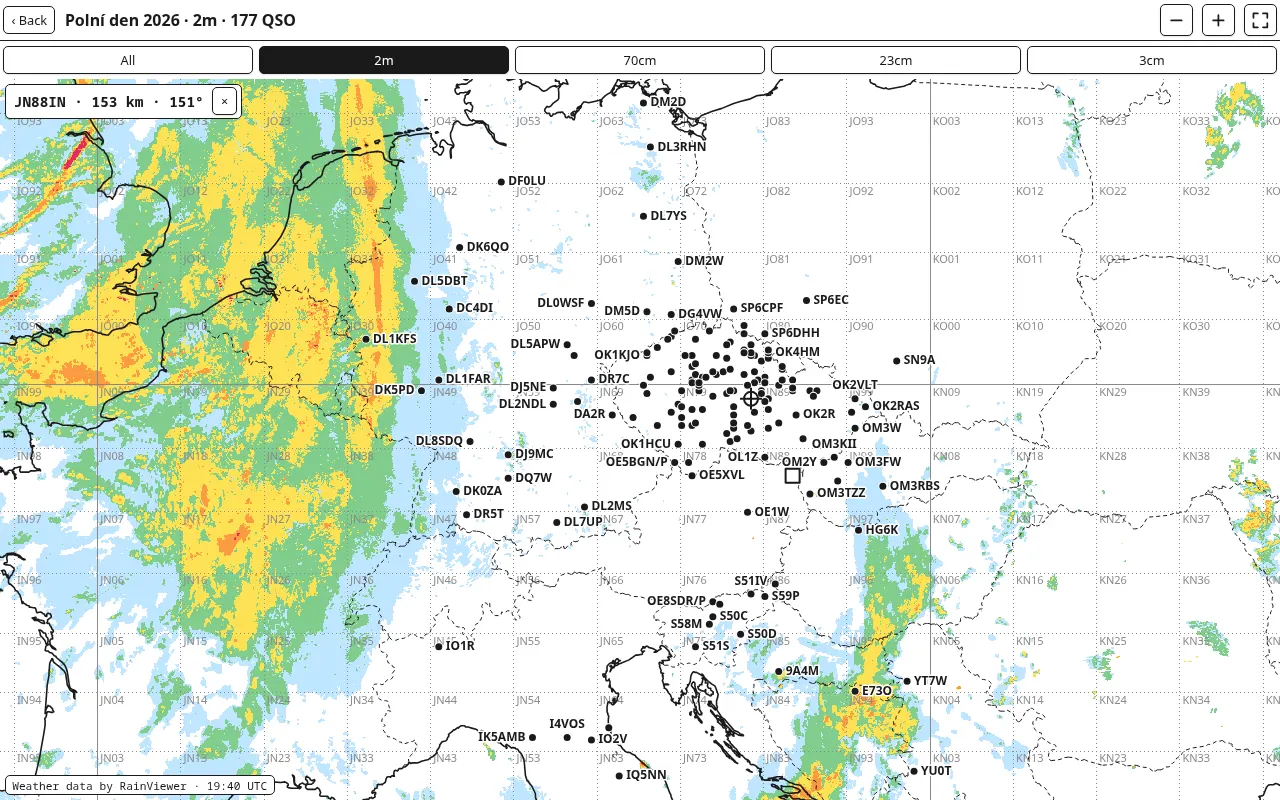
On the VHF contest map you can switch on a rain radar (Settings → Rain radar on the VHF contest map, off by default). The current RainViewer precipitation frame shows under the map, so you see where the rain cells are.

Tap or click into a cell and the top left shows that spot's locator, distance and bearing from you: where to turn the antenna for rain scatter on 3 cm. It works the same for a station you haven't worked yet.

JN88IN · 153 km · 151°

A cell 153 km away, antenna to 151°.

The frame refreshes while the map is open; its UTC time is at the bottom left. The radar is the only time the map uses the network; no log data is sent.

The VHF contest map with the rain radar; a click into a cell showed JN88IN, 153 km, 151°
The map with the rain radar: a click into a cell showed JN88IN · 153 km · 151°.

ON4KST chat

Skeds without switching windows

In a VHF contest skeds are arranged in the ON4KST chat. In kQSO the chat is part of the contest log (6 m and up): it picks the 50/70 MHz, 144/432 MHz or Microwaves room by the band you're on. No second program, no second window.

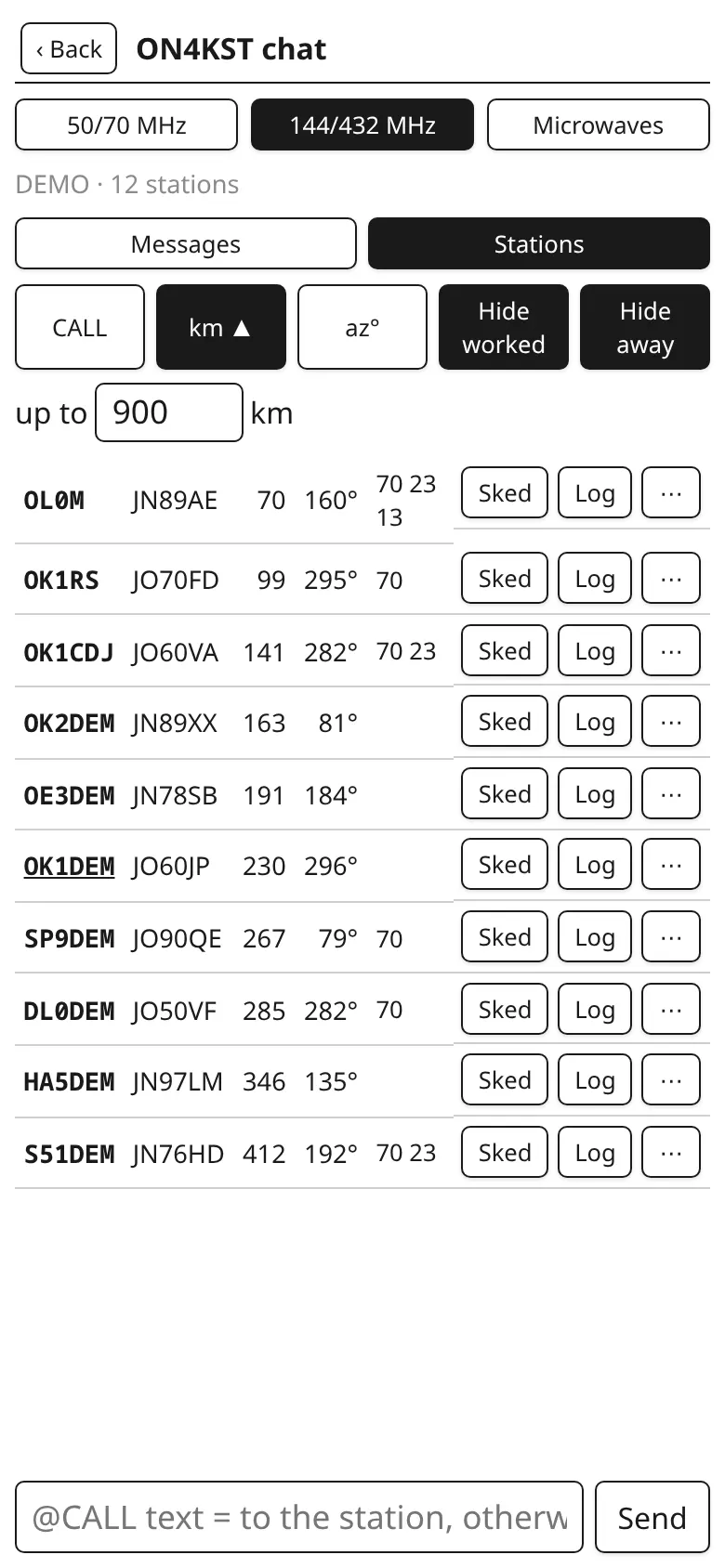
  • Stations with locator, distance and bearing from you. Sort by call, km or bearing, hide the worked and away ones, limit the distance (900 km by default).
  • QRV bands for each station: kQSO reads them from the name (Bert 2/70/23), from the messages (qrv 1296.150) and adds those from the database. Bands where you already have the station are struck out.
  • Sked in one tap from your template (pse sked {QRG} {MODE}?). The sked QRG is set per band: G 144.290.
  • Log takes you back to the log with the station's call and locator already on the line.
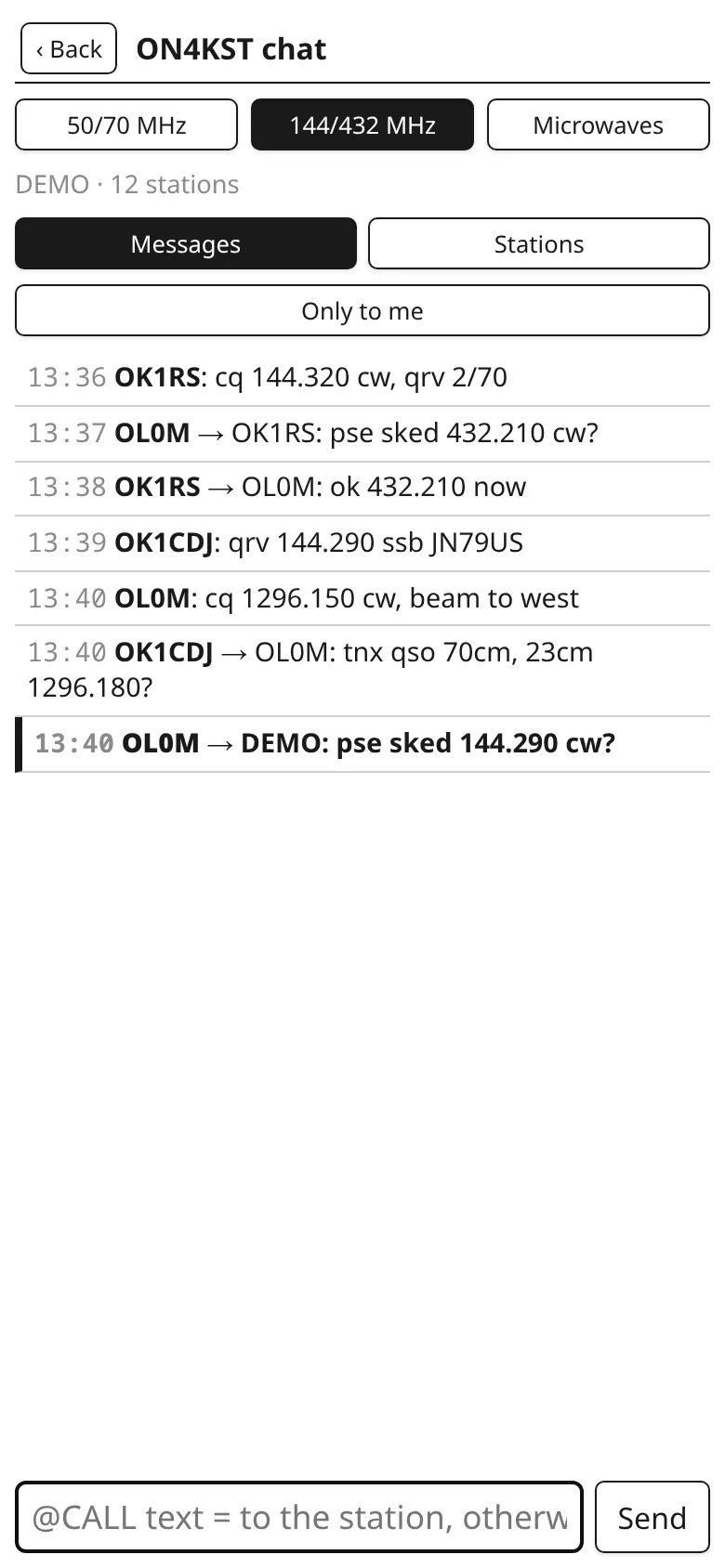
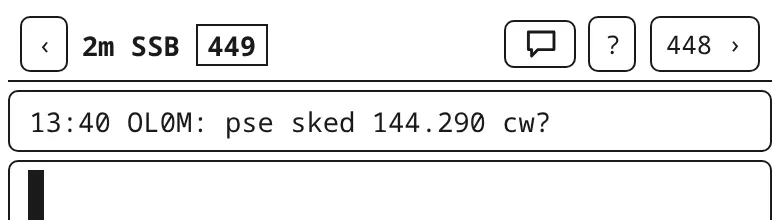
  • Messages to you are bold, and the last one also shows under the log's header. Tap it to answer.
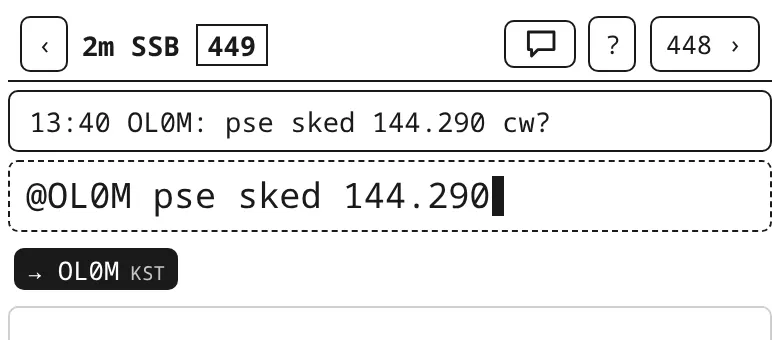
  • Writing straight from the log line: @OL0M pse sked 144.290 goes to that station; no QSO is logged.
  • The locator from the chat, the one the station set today, is offered while logging before the database's.
  • On a tablet the chat's active stations are under the contest panel too. Portable with another locator, kQSO offers /SETLOC.
The station list in the ON4KST chat with distance, bearing and QRV bands
Stations by distance, with bearing and QRV bands.
Messages in the ON4KST chat, the last one to me highlighted
Messages: the one to me is bold with a bar on the left.
A message to me under the log's header
A message to me under the log's header.
The log line with @OL0M pse sked 144.290 and the chip → OL0M KST
Answering straight from the log line.
A tablet: a message under the header and the chat's active stations under the contest panel
A tablet in a contest: a message to me under the header, the chat's active stations under the contest panel.

You need your own ON4KST account (licensed radio amateurs only). Without one, try the chat with the call DEMO: kQSO connects nowhere and runs a practice chat with stations and answers. The Android and iOS apps connect to ON4KST directly; the web goes through the kQSO relay, which only passes the data on and stores nothing. A station can be muted or reported.

EDI for the contest manager

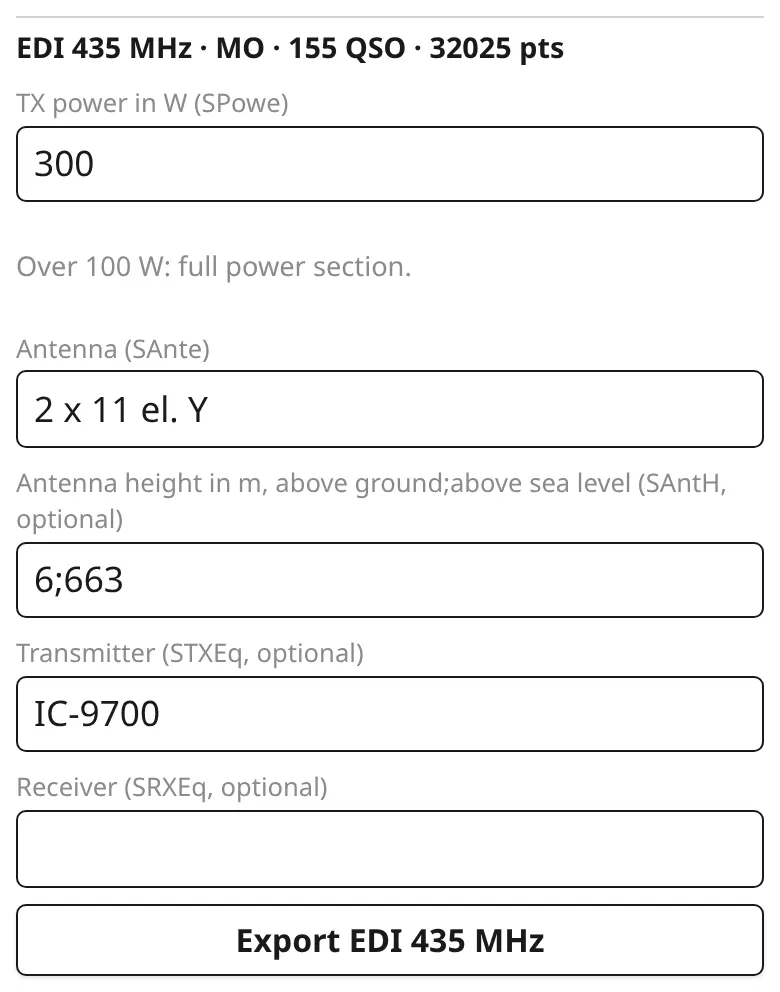
One REG1TEST file per band. SO, MO and CHECK categories, power, antenna and equipment per band; kQSO remembers them for the next contest. Up to 100 W on 145 and 435 MHz it's LP.

VKV PA offers sending to the robot, FM pohár a summary for its web form. The ADIF with all bands then goes to Wavelog.

EDI export: power, antenna and equipment for 435 MHz
The 435 MHz band: power, antenna, transmitter, export.

A VHF contest step by step is in the First steps; the details are in the manual.