
kQSO Open kQSO CSEN

Radios · CW · keyboard

Radio control and CW

Band, mode and frequency from the radio, CW macros on the F keys and a decoder that puts a call it hears into the line. With a home-built M5 keyer, on the iPad too. Both parts are still beta.

M5 keyer · build

Build the keyer yourself, from a handful of parts

The kQSO keyer is a tiny M5Stack Atom cube with Bluetooth. It needs no PCB and no box: a few parts are soldered straight into the cable under heat-shrink. You flash the firmware from the browser, with no IDE and no drivers.

One keyer then does two things at once:

  • keys CW from kQSO's macros (the KEY jack),
  • connects the radio over CI-V (the REMOTE jack): band, mode and frequency from the radio, tuning from the log. Any Icom with CI-V.

It works on the iPad and iPhone too. The kQSO iOS app connects to the keyer over Bluetooth, so you get CW and radio control on an Apple tablet, where a radio can't be connected by cable. The same on Android and in Chrome or Edge on a computer.
How to build the keyer

What you need

  • an M5Stack AtomS3 Lite (recommended), Atom Lite, or an AtomS3 with a display that shows the frequency
  • a Grove cable and two 3.5 mm jack cables (KEY and CI-V)
  • keying: a PC817 optocoupler or an N-MOSFET, and two resistors
  • CI-V: a BSS138 or 2N7000 MOSFET and two resistors
  • heat-shrink; optionally the Atomic Battery Base
  • to flash the firmware: a computer with Chrome or Edge and a USB-C data cable

Icom over CI-V

  • The IC-705 over Bluetooth in the Android and iOS apps.
  • Any Icom by cable: USB or a CT-17 in Chrome or Edge on a computer (Windows, Linux, macOS). kQSO finds the rate and address itself.
  • Through the M5 keyer on the radio's CI-V jack, on the iPad and iPhone too.

Band, mode and the exact frequency then come from the radio. A typed band or mode tunes the radio:

F14030 cw

The radio to 14.030 MHz in CW.

The IC-705, 9700, 7300 and 7610 send the CW macros with their own keyer; in SSB and FM kQSO offers the voice memories T1–T4. For microwaves there is a transverter table: the radio tunes to the IF and the log gets the frequency on the band. Known models: IC-705, 706, 910, 9700, 7300, 7610, 7100.

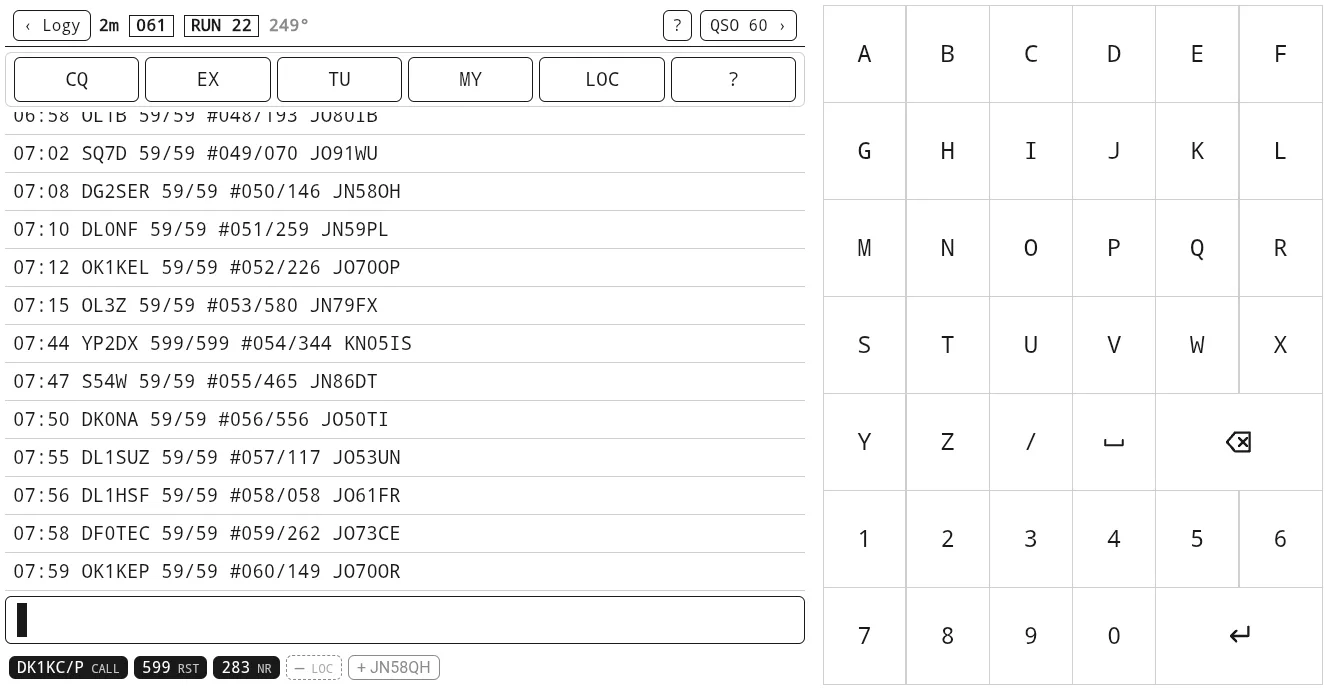
A tablet in a VHF contest in CW with the keyer's macros
A VHF contest in CW: the keyer's macros, recent QSOs, a locator from the database.

CW keyer and macros

With the M5 keyer over Bluetooth (or the radio's own keyer) each log profile has its macros: CQ, exchange, TU, repeat, my call, locator or reference.

  • RUN and S&P, ESM as in N1MM: Enter sends what comes next.
  • CQ repeat: A3 and the CQ calls round with a 3 s gap.
  • Cut numbers: 5NN, T18. The log and the EDI keep the digits.
  • Macros on F5–F12 on every screen of the log.

CW decoder

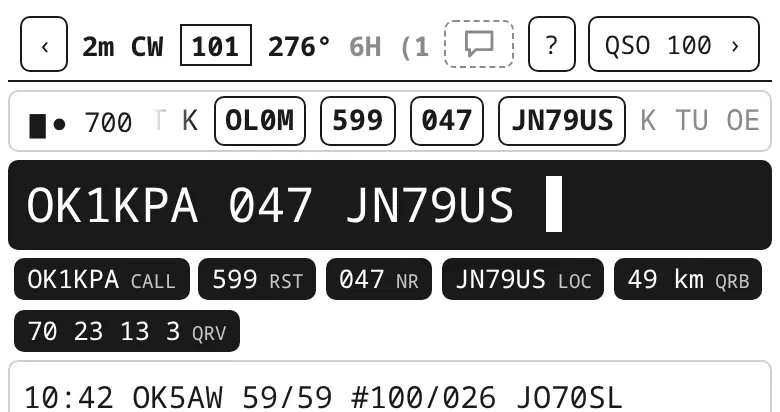
The DeepCW decoder listens to the radio's audio (a USB sound card, the phone's microphone, a WebSDR tab), and a tap puts a call, report or locator into the line. The audio is processed on the device only. In the Android and iOS apps; on the web in Chrome and Edge on a computer.

The CW decoder's line above the log; a tap puts the call into the line
The decoder above the line: tap a call to write it.

Hardware keyboard

On a computer or a tablet with a keyboard everything works without a mouse: Ctrl+Enter saves, Alt+N / P switches the band, Alt+M the mode, PgUp / PgDn the keying speed, F5–F12 the macros, Esc stops sending.